
Worktrees
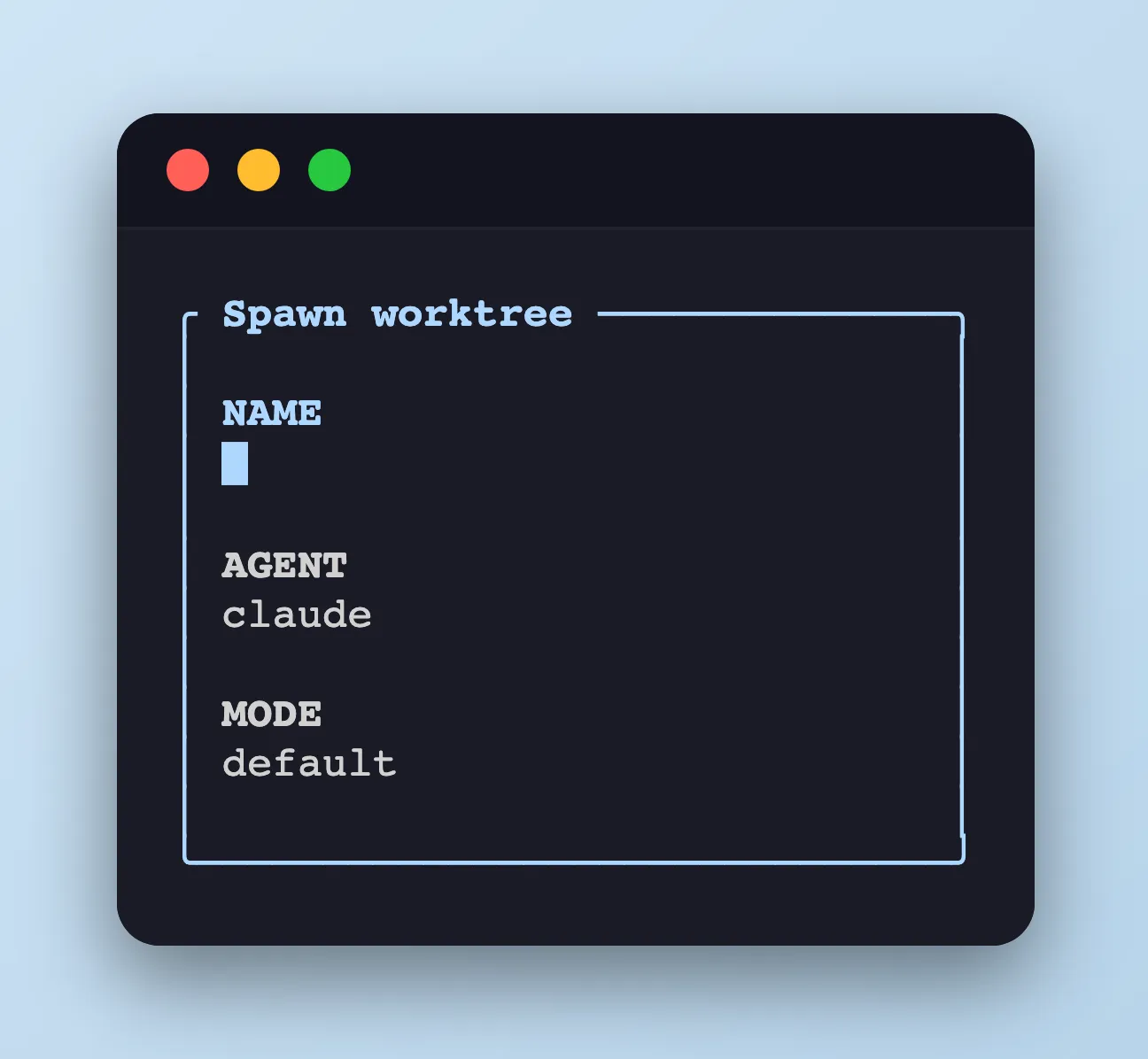
The sidebar can create a git worktree, open a new tmux window, and launch an agent in it — all from one keystroke. Closing lets you pick the scope: tear down the window, worktree, and branch together, or keep the worktree/branch on disk and only close the window.
Spawn modal
Section titled “Spawn modal”Opened with n or by clicking the + button next to a repo header.
| Key | Action |
|---|---|
| Text keys | Type the name. The slugified form (add login form → add-login-form) becomes both the tmux window name and the branch suffix (branch: agent/add-login-form). See “What gets created” below. |
↑ / ↓ / Tab / Shift+Tab |
Move focus between NAME / AGENT / MODE fields |
← / → |
Cycle the value when the agent or mode field has focus |
Enter |
Create the worktree + window and launch the agent |
Esc / click outside |
Cancel |
What gets created
Section titled “What gets created”The modal’s NAME field is slugified (lowercase, non-alphanumeric → -) and reused as:
- Branch —
<prefix><slug>, where<prefix>defaults toagent/(e.g.add login form→agent/add-login-form). Colliding slugs get an incrementing suffix (-2,-3, …). - Worktree path —
<repo>/.worktrees/<slug>by default. Change the repo-relative directory with@agent-sidebar-worktree-dir; absolute paths and..are rejected. - tmux window — the slug is used as the window name; the agent you picked in the modal (
claude/codex/opencode) launches inside it with the selected permissionMODE.
Defaults for the agent, branch prefix, and worktree directory live in tmux options — see tmux options for the full list.
Close pane modal
Section titled “Close pane modal”Opened with x on a spawn-created pane, or by clicking the × button next to the branch name.
| Key | Action |
|---|---|
y / Enter |
Close the tmux window, remove the git worktree (--force), and delete the branch the spawn created (git branch -D) |
c |
Close the tmux window only, keep the worktree and branch on disk |
n / Esc |
Cancel |
Why -D and not -d?
Section titled “Why -D and not -d?”Spawn-created branches are auto-generated under the agent/ prefix for short-lived explorations, and the close modal opts into git branch -D so it works even when the branch has not been merged upstream. Recover via git reflog if you delete one by mistake.
Availability
Section titled “Availability”The plugin no longer registers Claude Code’s WorktreeCreate / WorktreeRemove hooks: Claude Code treats them as delegation hooks that must perform the worktree operation and return its path, so observe-only registrations break Claude Code’s built-in worktree isolation. The sidebar still tracks worktrees it spawns itself and follows agent location changes via CwdChanged.