
Activity log
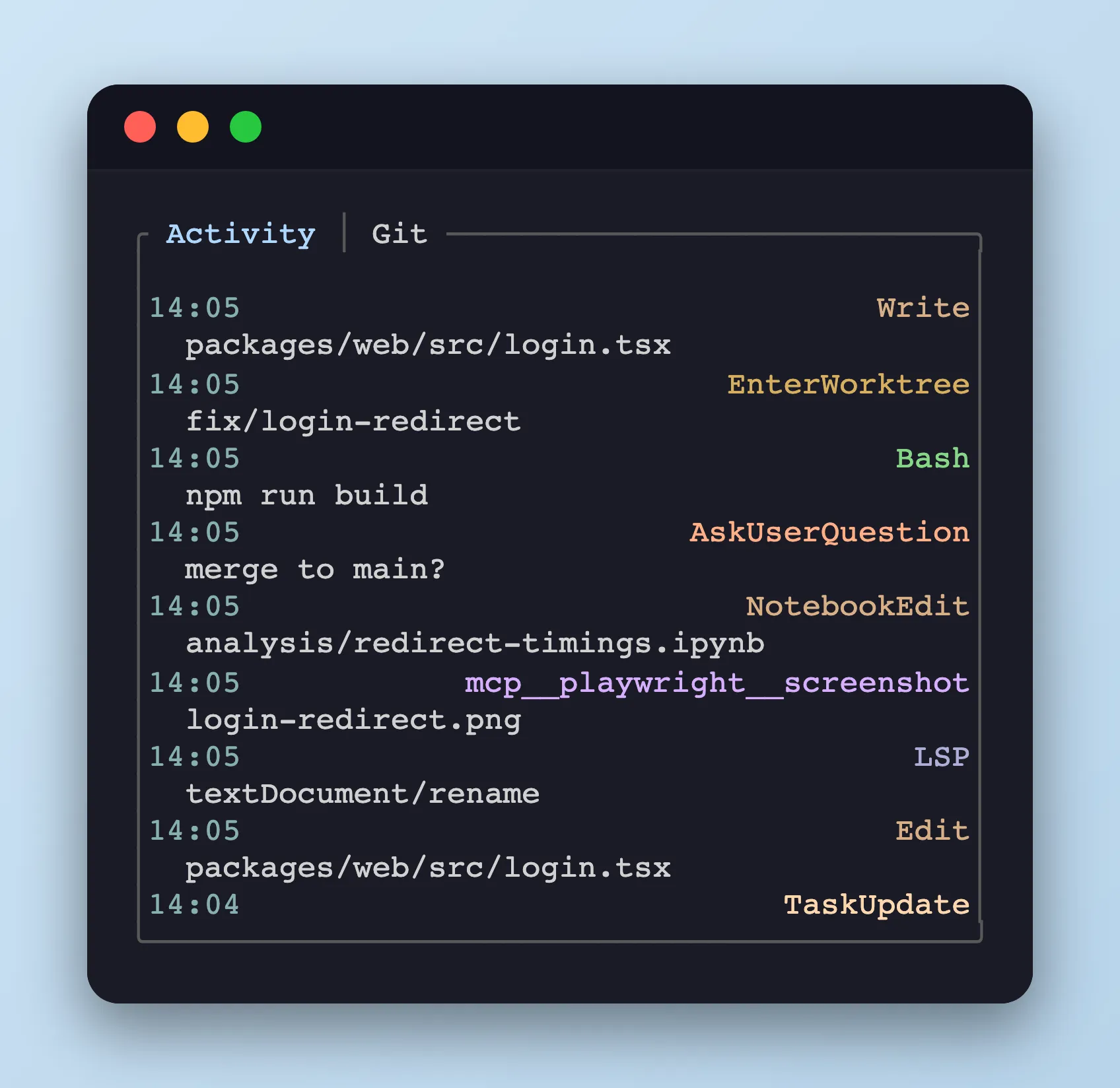
The bottom panel’s Activity tab shows tool-call history for the selected agent pane, written by the agent’s PostToolUse hook.
What is recorded
Section titled “What is recorded”Each row is one tool call — when it started, which tool ran, and the arguments that mattered.
Activity log files live under /tmp/tmux-agent-activity<pane>.log, where <pane> is the tmux pane id with the leading % replaced by _ (e.g. pane %3 → /tmp/tmux-agent-activity_3.log). The sidebar re-parses them on every refresh.
Tool palette
Section titled “Tool palette”Tool names map to a stable color so Read / Edit / Bash etc. stay distinguishable at a glance:
| Tools | xterm 256 |
|---|---|
Edit, Write, NotebookEdit |
180 |
Bash, PowerShell, Monitor |
114 |
Read, Glob, Grep |
110 |
Agent |
181 |
WebFetch, WebSearch |
117 |
Skill |
218 |
TaskCreate, TaskUpdate, TaskGet, TaskList, TaskStop, TaskOutput |
223 |
SendMessage, TeamCreate, TeamDelete |
182 |
LSP |
146 |
AskUserQuestion, PushNotification |
216 |
CronCreate, CronDelete, CronList, RemoteTrigger |
151 |
EnterPlanMode, ExitPlanMode |
189 |
EnterWorktree, ExitWorktree |
179 |
ToolSearch |
250 |
mcp__<server>__<tool> (any MCP tool) |
183 |
| Everything else | 244 |
Agent coverage
Section titled “Agent coverage”| Agent | Covered tools |
|---|---|
| Claude Code | Every tool the hook payload exposes |
| Codex | Bash only — Codex’s PostToolUse fires for Bash alone (its tool_input is typed { command: string }), so Read / Edit / Write / Grep / Glob and other tool calls are not reported |
| OpenCode | Every tool event the plugin bridge emits |
Switching tabs
Section titled “Switching tabs”The bottom panel has two tabs — Activity and Git. Swap with Shift+Tab, or click the tab label with the mouse.